• We’re currently investigating an issue related to the forum theme and styling that is impacting page layout and visual formatting. The problem has been identified, and we are actively working on a resolution. There is no impact to user data or functionality, this is strictly a front-end display issue. We’ll post an update once the fix has been deployed. Thanks for your patience while we get this sorted.

Photo -- Test

Parksy

Moderator
LAKESHOLS016-1.jpg

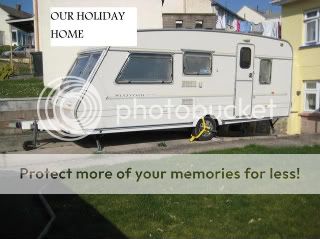
Think it may be too big if so please delet and I'll have another go, (850x640 at present)
 
When your picture is on Photobucket click 'EDIT' from the topp of the picture then 'RESIZE'
The picture will load onto the picture editor, click 'PRESET SIZES' and from the drop down click 'LARGE' .
When the photo resizes click 'REPLACE ORIGINAL' and then just copy/ paste the url from your album into the forum box as before
smiley-laughing.gif
 
That didnt work then!!!! Going to leave it as it is and not resize (as on previous forum)
ABBEYSTAFFORD.jpg


is this acceptable?
Parksy when I get to the drop down box it only lets me have a Tiny, Small or Medium, any more idea's ? Sorry to be a Pain
smiley-embarassed.gif
 
Gagakev said:
That didnt work then!!!! Going to leave it as it is and not resize (as on prevous)
Parksy when I get to the drop down box it only lets me have a Tiny, Small or Medium, any more idea's ? Sorry to be a Pain
smiley-embarassed.gif
That's ok Kev, you had already resized the pictures so they will fit onto this forum.
 

TRENDING THREADS

Latest posts

Back
Top