• We’re currently investigating an issue related to the forum theme and styling that is impacting page layout and visual formatting. The problem has been identified, and we are actively working on a resolution. There is no impact to user data or functionality, this is strictly a front-end display issue. We’ll post an update once the fix has been deployed. Thanks for your patience while we get this sorted.

Posting a video

Mel

Moderator
Hi. How do you post a video taken on my phone on here? I want to show Saxo Appeal our non slamming door. If I tap on The “attach files” button; I can get my photo library but not any videos in it.
Thanks
Mel
 
Do you use Facebook, Instagram, X, YouTube or any of those sort of places?
If you go for the 'more options' 3 dots icon on your forum post, and then 'media' you should be able to link to your video if you've published it to one of those kind of sites listed.
Not that I've actually done it myself.....
 
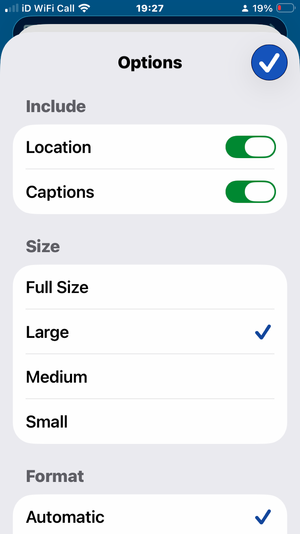
Posting photos is bad enough where you have to resize them from full size to large.
But we do attach saved vids from You tube etc so it must be possible?
May be Head Office can help. Good luck👍
 
Posting photos is bad enough where you have to resize them from full size to large.
But we do attach saved vids from You tube etc so it must be possible?
May be Head Office can help. Good luck👍
Posting photos in large, or smaller, only takes one extra press to go from full size to large, or less on an iPhone using Photos. What are you using?

IMG_4046.png
 
Mel, I uploaded my phone vide to My You Tube videos, total private unless you want to share. Choose the video, Then , select share, copy the link, URL and post that onto the forum , This is Elaine on Mother's day. In our son's, 3 month Old Defender

View: https://youtu.be/KGI2-ZAVgp4?si=ELyvPJkHWEbHNYlx

Or you can click the little oval link next to the photo square and post the link in there. Defender
 
Last edited:
Posting photos in large, or smaller, only takes one extra press to go from full size to large, or less on an iPhone using Photos. What are you using?

View attachment 9760
Same as you Clive.

But it is an extra stage wearing out my digits!
I’ve never understood why this Forum is the only one where resizing has to be done to post.
Can you do videos?
 
Thanks everyone. I am trying to post a very short video, not a photo. From what you say I would have to upload it to You tube first.
Thanks. Don’t hold your breath Saxo Appeal!
Mel
 
Same as you Clive.

But it is an extra stage wearing out my digits!
I’ve never understood why this Forum is the only one where resizing has to be done to post.
Can you do videos?
Never needed to try and upload a video, so can’t help there, but Hutch has an approach.
 
Works for me, 20 seconds of watching your back end 😉 and then the grass growing
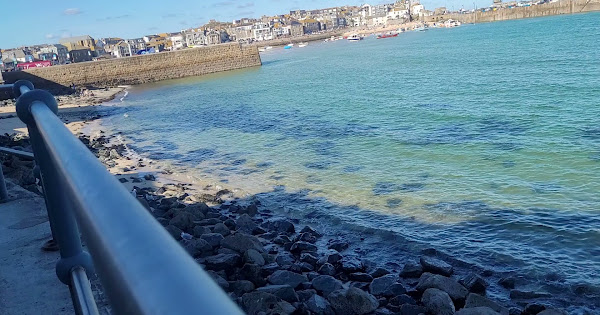
That was Gwithian Caravan site, in Cornwall, a couple of weeks ago.
Ok Mel, I open the video from your tablet, / phone, whilst it was running clicked on the share, copy the link, then put it on a reply thread page, and paste the link there.
 
Last edited:
This should be an easier way. In Apple photos, find video, click ‘share’ click ‘create a link’. Then copy and paste the link.


Did this work?

For Android users I think it is similar.

John
 
  • Like
Reactions: Mel
That was Gwithian Caravan site, in Cornwall, a couple of weeks ago.
Ok Mel, I open the video from your tablet, / phone, whilst it was running clicked on the share, copy the link, then put it on a reply thread page, and paste the link there.

Thanks Hutch will give it a go.
Mel
 

TRENDING THREADS

Latest posts

Back
Top