I have the Outlook 365 and have a number of emails that I need to save to a File Explorer and also to a USB stick. When I have tried it previously I was using Outlook 2007, but with 365 version there does not seem to a Export option. I do not want to use Cloud. I tried Google, but don't think I am using the correct terminology to get the correct answer. Can any of the computer fundis advise? Thanks.

-
We’re currently investigating an issue related to the forum theme and styling that is impacting page layout and visual formatting. The problem has been identified, and we are actively working on a resolution. There is no impact to user data or functionality, this is strictly a front-end display issue. We’ll post an update once the fix has been deployed. Thanks for your patience while we get this sorted.
You are using an out of date browser. It may not display this or other websites correctly.
You should upgrade or use an alternative browser.
You should upgrade or use an alternative browser.
Saving emails
- Thread starter Buckman
- Start date

Not sure how to do t in Windows but often saving an email works as text and you finish up with gobbledegook. Is there an export or move option that allows PDF then you save it to a folder of your choice and can print a readable version.
I cannot see an export option in 365. It was there in Outlook 2007.Not sure how to do t in Windows but often saving an email works as text and you finish up with gobbledegook. Is there an export or move option that allows PDF then you save it to a folder of your choice and can print a readable version.

I understand an aversion to cloud-based and wanting a more tangible backup. But as 365 is a cloud-based platform it seems the cloud is already being used.I have the Outlook 365 and have a number of emails that I need to save to a File Explorer and also to a USB stick. When I have tried it previously I was using Outlook 2007, but with 365 version there does not seem to a Export option. I do not want to use Cloud. I tried Google, but don't think I am using the correct terminology to get the correct answer. Can any of the computer fundis advise? Thanks.
John
I have no idea as Outlook 365 is downloaded onto my laptop and I can access it even when not connected to the Internet. I have no idea how to access Cloud and have no interest in accessing it anyway preferring something tangible. Basically being very old fashion, I don't trust anything external like Cloud. I have no idea if it can be hacked or not, but why take the chance.I understand an aversion to cloud-based and wanting a more tangible backup. But as 365 is a cloud-based platform it seems the cloud is already being used.
John
Besides if we have a power failure and lose the Internet I cannot access Cloud and anything stored in it, but I can if it is store on my laptop.
See.I have no idea as Outlook 365 is downloaded onto my laptop and I can access it even when not connected to the Internet. I have no idea how to access Cloud and have no interest in accessing it anyway preferring something tangible. Basically being very old fashion, I don't trust anything external like Cloud. I have no idea if it can be hacked or not, but why take the chance.
Besides if we have a power failure and lose the Internet I cannot access Cloud and anything stored in it, but I can if it is store on my laptop.
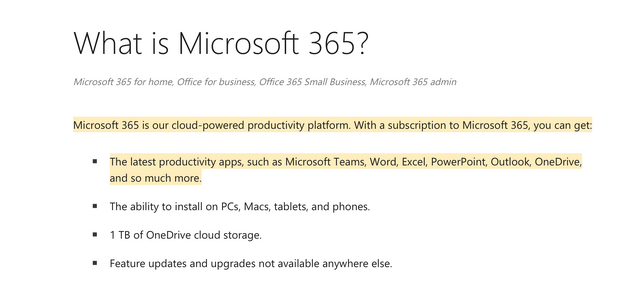
John
Still have no idea what it means, but I still want my stuff on my laptop and backed up on my USB stick.
Annoyingly I did not want to renew 365 last year and was only notified after it was renewed. I don't need 365 so will be reverting back to my 2007 version of Office or something similar.
Annoyingly I did not want to renew 365 last year and was only notified after it was renewed. I don't need 365 so will be reverting back to my 2007 version of Office or something similar.
I think before I go much further in trying to provide some guidance it might help if you could provide a little more information because there are different approaches depending on how you've set your email up. Plus what is your intention in wanting to save some emails?
Do you use email on different devices - e.g laptop and phone? If so do you see the same emails in your inbox and sent folder on all devices? This is important because it will let me know how you've set your email up.
There are two basic methods. One is called POP protocol and the other is IMAP protocol (or possibly Apple call it MAPI).
The advice these days is to use IMAP because most people have more than one device they want to use. If you've set yours up this way - which would be the case if its something like a Gmail address - then your emails are stored in the cloud on the email server of the company providing your email. This really means that you don't necessarily need to backup your emails, since their already on someone elses server and being backed up by them.
If you've used the POP protocol then your emails are on the eamil companies server only until you start your program - Outlook for example - and then they are downloaded to your computer. They will not be accessible on another device.
If you can let me know which one you have or if your using something like gmail.com then I can provide some additional information.
However, in the short term if its just one or two emails that you want copies of you can drag and drop them from Outlook to any folder you choose.
Do you use email on different devices - e.g laptop and phone? If so do you see the same emails in your inbox and sent folder on all devices? This is important because it will let me know how you've set your email up.
There are two basic methods. One is called POP protocol and the other is IMAP protocol (or possibly Apple call it MAPI).
The advice these days is to use IMAP because most people have more than one device they want to use. If you've set yours up this way - which would be the case if its something like a Gmail address - then your emails are stored in the cloud on the email server of the company providing your email. This really means that you don't necessarily need to backup your emails, since their already on someone elses server and being backed up by them.
If you've used the POP protocol then your emails are on the eamil companies server only until you start your program - Outlook for example - and then they are downloaded to your computer. They will not be accessible on another device.
If you can let me know which one you have or if your using something like gmail.com then I can provide some additional information.
However, in the short term if its just one or two emails that you want copies of you can drag and drop them from Outlook to any folder you choose.
Thanks for the above. I only need to backup current or existing personal emails i.e. receipts for goods purchased and it is Outlook 365 POP account. With the exception of Gmail, I don't have email set up on my phone as never seen the need for it. I am not bothered about saving any Gmail email.
This may help. You don’t actually have to print but by converting to a print file/pdfyou can then save the file in the folder or drive (usb stick) if your choice.
ps edit. Just a thought if it’s only a few emails you could try screenshot and save the JPEG to your usb stick.

 www.lifewire.com
ps edit. Just a thought if it’s only a few emails you could try screenshot and save the JPEG to your usb stick.
How to Save an Outlook Email as a PDF
Your Outlook messages can be converted to PDF, then shared with and viewed by others regardless of the type of equipment or software they have.
Last edited:
As an aside you can save a copy of almost anything visual on the screen using your keyboards "Print screen" key; this places an image into the Windows "Clipboard" that can then be dumped into any image handling or "Word" like program. Often dumping means just "Paste" [Ctrl+V] or "image from Clipboard". However, each screen shot needs to be dumped before one is taken again, as every use overwrites the one there.
It can be a useful "trick" if you want to catch something you see on the screen, I use it for things like "chat" with the likes of Currys support etc. Making sure even if it is not recorded, I have it.
It can be a useful "trick" if you want to catch something you see on the screen, I use it for things like "chat" with the likes of Currys support etc. Making sure even if it is not recorded, I have it.
Ok you're making some progress but maybe I could make things easier for you.
Since you're using POP, Outlook stores all your information - emails, contacts, calendar, notes etc in a file with the extension PST. The default location for this on Windows 10 is as follows:-
C:\Users\{Insertnamehere}\AppData\Local\Microsoft\Outlook
If you go to this folder in File Explorer you will see files like this:-
Outlook.pst
Archve.pst
(In fact if you were using IMAP then there would also be files ending in OST - which indicates Offline files)
So in order to backup your emails etc just copy everything in the Outlook folder to your backup device.
(Outlook.pst is all your personal files. Archive.pst is where Outlook archives old stuff. It does this automaticaly to limit the size of the Outlook.pst file. I think it does this for emails over 6 months old but I believe you can set the limit to what you want.)
The other advantage of doing this is that if/when you come to switch to a different version of Outlook (or some other email client) you only need to replace the default files of the new installation with the files from your backup and off you go.
This is what I did a few years back. I had Office/Outlook 2007 but because it was getting long in the tooth and no longer supported (security could be a problem), I went to MS365. After a year or two I got fed up with the constant updates not to mention the subscription payments. I bought a genuine copy of Office 2019 from Amazon for about £10 - today Office 2021 is available for about £35.
After setup just copied all my backup Outlook files to the default location of the new version and that was it.
You're probably aware but I'll mention it anyway:-
Within Outlook you can create folders to organise your emails. So for example I have a Folder for Amazon emails; one for Ebay; one for CAMC and virtually any on line 'shop' we use. Just makes life easier finding things.
One final thing - since its likely that you have a default installation of Windows, all your data - documents, pictures, music and videos are also stored in the C:\Users\{Insertnamehere} folder. So its good practice to backup this folder as well.
Hope this helps
Since you're using POP, Outlook stores all your information - emails, contacts, calendar, notes etc in a file with the extension PST. The default location for this on Windows 10 is as follows:-
C:\Users\{Insertnamehere}\AppData\Local\Microsoft\Outlook
If you go to this folder in File Explorer you will see files like this:-
Outlook.pst
Archve.pst
(In fact if you were using IMAP then there would also be files ending in OST - which indicates Offline files)
So in order to backup your emails etc just copy everything in the Outlook folder to your backup device.
(Outlook.pst is all your personal files. Archive.pst is where Outlook archives old stuff. It does this automaticaly to limit the size of the Outlook.pst file. I think it does this for emails over 6 months old but I believe you can set the limit to what you want.)
The other advantage of doing this is that if/when you come to switch to a different version of Outlook (or some other email client) you only need to replace the default files of the new installation with the files from your backup and off you go.
This is what I did a few years back. I had Office/Outlook 2007 but because it was getting long in the tooth and no longer supported (security could be a problem), I went to MS365. After a year or two I got fed up with the constant updates not to mention the subscription payments. I bought a genuine copy of Office 2019 from Amazon for about £10 - today Office 2021 is available for about £35.
After setup just copied all my backup Outlook files to the default location of the new version and that was it.
You're probably aware but I'll mention it anyway:-
Within Outlook you can create folders to organise your emails. So for example I have a Folder for Amazon emails; one for Ebay; one for CAMC and virtually any on line 'shop' we use. Just makes life easier finding things.
One final thing - since its likely that you have a default installation of Windows, all your data - documents, pictures, music and videos are also stored in the C:\Users\{Insertnamehere} folder. So its good practice to backup this folder as well.
Hope this helps
I am logged in as "Admin" and the only pst file I can see is the one I created this morning. It would not allow me to copy that file to transfer to USB stick as said it required the Outlook app? However no problem copying from Outlook itself and pasting onto USB stick.Ok you're making some progress but maybe I could make things easier for you.
Since you're using POP, Outlook stores all your information - emails, contacts, calendar, notes etc in a file with the extension PST. The default location for this on Windows 10 is as follows:-
C:\Users\{Insertnamehere}\AppData\Local\Microsoft\Outlook
If you go to this folder in File Explorer you will see files like this:-
Outlook.pst
Archve.pst
(In fact if you were using IMAP then there would also be files ending in OST - which indicates Offline files)
So in order to backup your emails etc just copy everything in the Outlook folder to your backup device.
(Outlook.pst is all your personal files. Archive.pst is where Outlook archives old stuff. It does this automaticaly to limit the size of the Outlook.pst file. I think it does this for emails over 6 months old but I believe you can set the limit to what you want.)
The other advantage of doing this is that if/when you come to switch to a different version of Outlook (or some other email client) you only need to replace the default files of the new installation with the files from your backup and off you go.
This is what I did a few years back. I had Office/Outlook 2007 but because it was getting long in the tooth and no longer supported (security could be a problem), I went to MS365. After a year or two I got fed up with the constant updates not to mention the subscription payments. I bought a genuine copy of Office 2019 from Amazon for about £10 - today Office 2021 is available for about £35.
After setup just copied all my backup Outlook files to the default location of the new version and that was it.
You're probably aware but I'll mention it anyway:-
Within Outlook you can create folders to organise your emails. So for example I have a Folder for Amazon emails; one for Ebay; one for CAMC and virtually any on line 'shop' we use. Just makes life easier finding things.
One final thing - since its likely that you have a default installation of Windows, all your data - documents, pictures, music and videos are also stored in the C:\Users\{Insertnamehere} folder. So its good practice to backup this folder as well.
Hope this helps
Any suggestion where I can find contact details to copy to file on laptop and also USB stick? Same for Calendar. Thanks.
TBH I did not want to renew MS 365 a I do not like it, but MS only notified me after they had taken the funds. I paid for an annual subscription. Not sure if I can cancel now and get a rebate? I think I would prefer the "hard copy" discs to being able to download without being "in contract" to MS. Of all the office applications I only require Outlook, Word and Excel.
Actually if I could find a user friendly Email app I may switch away from Outlook 365 as I still have Outlook 2007 on disc, but the concern is of course those emails which I really need to keep. I think there is an office application Libre?? or something that can open MS word and Excel files?
I'm not quite clear about what you're saying.
The Outlook.pst file gets updated everytime you use Outlook so it will always have the latest date and time. If you have Outlook open when you try to do the copy it wont let you. So, just close Outlook and you'll be able to copy it. I've just tried it to confirm it works and it does.
So again this Outlook file will contain all your emails, contacts and calendar etc. There isn't a seperate folder/file for these. However, should you want there is an option under the Files menu in Outlook called Open and Export. It will allow you to export specific things that you choose. For example you could export your contacts as a CSV file to be read by Excel or imported into another program.
However, if its just a backup you need for safety then just backup the whole Outlook folder I mentioned previously.
The copy of Office 2019 (or Office 2021) that you can buy on Amazon is downloaded from MS. Just save the download to a folder to keep for as long as you like and its a perpetual license - no subscription. Just like having the disks.
Another Email app that I've used and recommended to some who don't want Outlook is Thunderbird
https://www.thunderbird.net/en-GB/
Its free and from memory it can import the PST file created by Outlook.
Libre Office is Ok but after years of using MS products I didn't like it - just different thats all.
The Outlook.pst file gets updated everytime you use Outlook so it will always have the latest date and time. If you have Outlook open when you try to do the copy it wont let you. So, just close Outlook and you'll be able to copy it. I've just tried it to confirm it works and it does.
So again this Outlook file will contain all your emails, contacts and calendar etc. There isn't a seperate folder/file for these. However, should you want there is an option under the Files menu in Outlook called Open and Export. It will allow you to export specific things that you choose. For example you could export your contacts as a CSV file to be read by Excel or imported into another program.
However, if its just a backup you need for safety then just backup the whole Outlook folder I mentioned previously.
The copy of Office 2019 (or Office 2021) that you can buy on Amazon is downloaded from MS. Just save the download to a folder to keep for as long as you like and its a perpetual license - no subscription. Just like having the disks.
Another Email app that I've used and recommended to some who don't want Outlook is Thunderbird
https://www.thunderbird.net/en-GB/
Its free and from memory it can import the PST file created by Outlook.
Libre Office is Ok but after years of using MS products I didn't like it - just different thats all.